
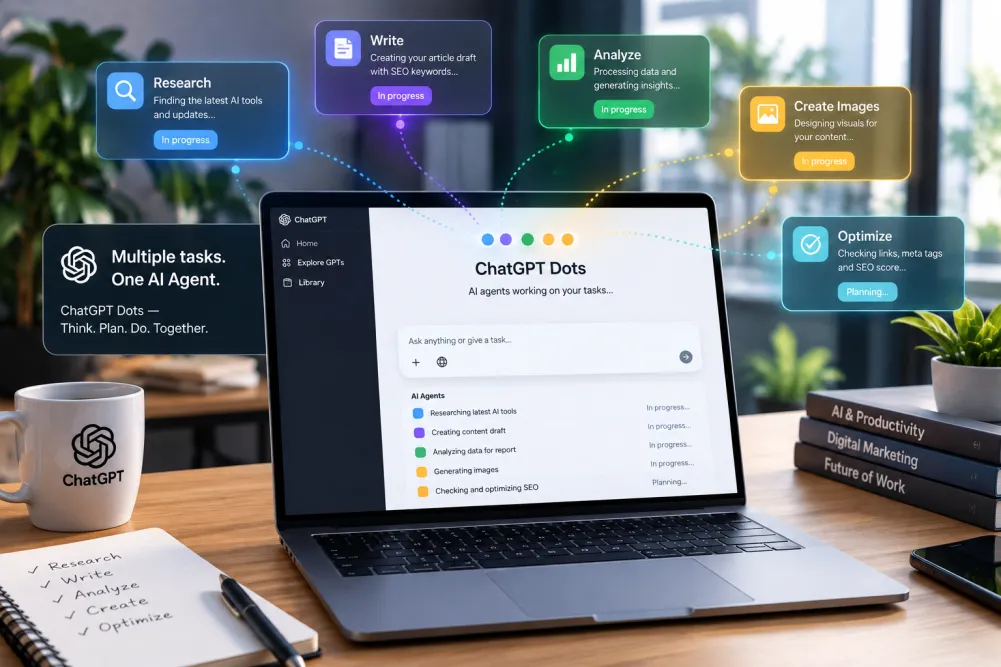
OpenAI has introduced ChatGPT Dots, a new type of AI agent designed to keep working on ongoing tasks even when you are not actively chatting with it.
Unlike a traditional chatbot that waits for your next prompt, a Dot can be given a goal, connected to the apps it needs, and allowed to continue making progress in the background. OpenAI says Dots are powered by GPT-6 Astra and have their own cloud computer for carrying out work.
The idea is simple: instead of asking AI to complete every individual step, you give it responsibility for a larger task and review the results when it has something important to show you.
In this guide, we’ll explain what ChatGPT Dots are, how they work, their main features, who can access them, practical use cases, and how they differ from normal ChatGPT conversations.
What Is ChatGPT Dots?
ChatGPT Dots are always-on AI agents inside ChatGPT that can work toward ongoing goals between conversations.
OpenAI describes Dots as agents that can take on continuing work, understand the goal you give them, use connected tools and apps, and bring results back to you for review. They are powered by GPT-6 Astra and operate using their own cloud computer.
This changes the traditional chatbot workflow.
With normal ChatGPT, the process usually looks like this:
You ask → ChatGPT responds → You ask again → ChatGPT responds
With a Dot, the idea is closer to:
You define a goal → Dot works on it → Dot continues making progress → Dot asks for input when needed → You review the result
That makes ChatGPT Dots more suitable for tasks that require multiple steps or continued attention.
How Do ChatGPT Dots Work?
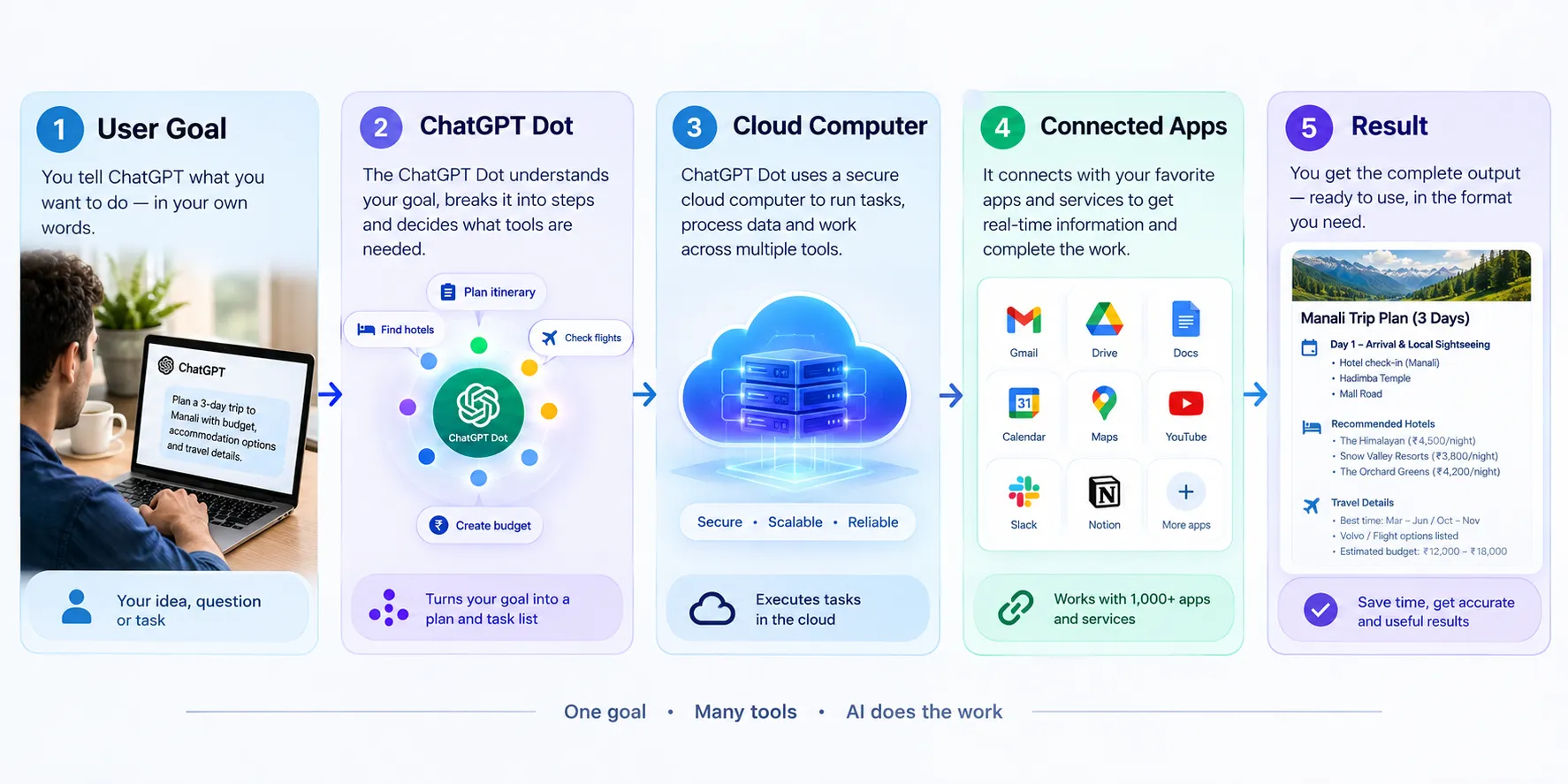
A Dot starts with a goal or responsibility that you give it.For example, instead of asking ChatGPT to research a topic one time, you could give a Dot an ongoing research responsibility and specify what type of information you want.
The Dot can then continue working toward that goal using the tools and applications you allow.
OpenAI says each Dot has its own cloud computer, allowing it to perform work in a dedicated environment rather than simply generating a response inside a conversation.
The general workflow is:
1. Create a Dot
2. Give it a clear goal
3. Define what you want it to do
4. Connect the required apps or tools
5. Set appropriate permissions
6. Let it work on the task
7. Review the results and provide feedback
The more specific the instructions are, the easier it is to judge whether the finished work matches your expectations.
Key ChatGPT Dots Features
1. Always-On AI Agent
The biggest difference is that Dots are designed for ongoing work.
A normal ChatGPT conversation generally waits for another user request.
Dots are designed to continue working toward an assigned goal between conversations.
This can be useful for projects that cannot be completed with a single prompt.
2. Powered by GPT-6 Astra
ChatGPT Dots are powered by GPT-6 Astra, according to OpenAI.
The model provides the reasoning and AI capabilities behind the agent, while the Dot adds a persistent workflow around that model.
This distinction is important because Dots are not simply a new chatbot model. They are an agent-based way of using AI.
3. Dedicated Cloud Computer
Each Dot has its own cloud computer.
This gives the agent an environment where it can carry out tasks and use a browser and connected resources as part of its workflow.
For users, this means the Dot can be given a broader responsibility instead of being limited to generating text in a single conversation.
4. Connected Apps
Dots can work with connected applications that you authorize.
This makes them more useful for workflows involving information spread across different services.
However, users should carefully review which apps they connect and what permissions they provide.
5. Ongoing Work Between Conversations
One of the main purposes of Dots is to continue making progress after you leave the conversation.
That is particularly relevant for:
1. Long-running research
2. Project follow-ups
3. Business workflows
4. Data analysis
5. Content-related tasks
6. Software development
7. Repetitive digital work
The exact capabilities depend on the tools, permissions and environment available to the Dot.
6. Human Review and Control
Autonomous AI does not mean users have to give up control.
OpenAI has described controls and safeguards around what Dots can do, including the ability to define what an agent is allowed to handle.
For sensitive tasks, it is sensible to keep important decisions under human review rather than allowing an AI agent to make every decision automatically.
What Can You Use ChatGPT Dots For?
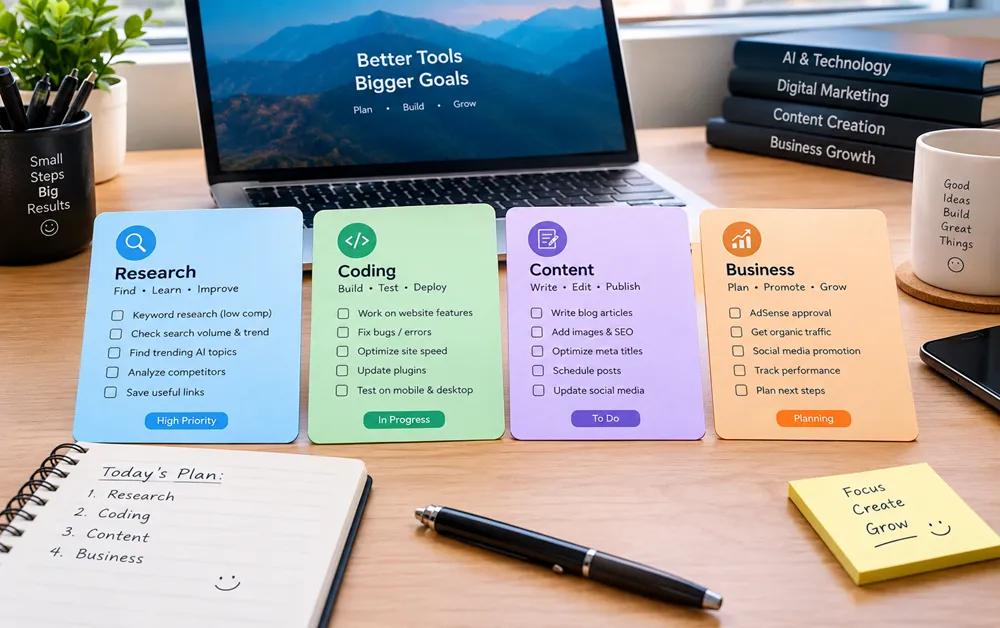
The most interesting part of Dots is not simply answering questions. It is handling ongoing responsibilities.
Here are some practical examples.
Research and Information Gathering
A Dot could be assigned a research project with a defined goal and expected output.
For example:
“Research the latest developments in AI video toolsand organize important updates with sources and dates.”
Instead of repeating the same research prompt manually, the Dot can work toward the assigned responsibility.
Business Workflows
Businesses could use specialist Dots for recurring work such as reviewing information, preparing reports or following up on defined processes.
OpenAI has also discussed specialist Dots for organizational roles and workflows.
Software Development
Dots can be used alongside OpenAI's coding toolsfor development-related workflows.
A possible workflow could involve monitoring a project, investigating an issue, preparing changes and bringing important decisions back to the user.
The exact level of automation depends on the tools and permissions provided.
Content Work
Content creators could potentially use Dots for structured research, organizing information, preparing drafts and maintaining ongoing content workflows.
However, human review remains important, particularly for factual accuracy, originality and editorial quality.
Project Management
A Dot can also be useful when a project contains multiple ongoing tasks.
Instead of asking an AI assistant about every individual step, you can define the broader objective and let the agent continue working toward it.
ChatGPT Dots vs Normal ChatGPT
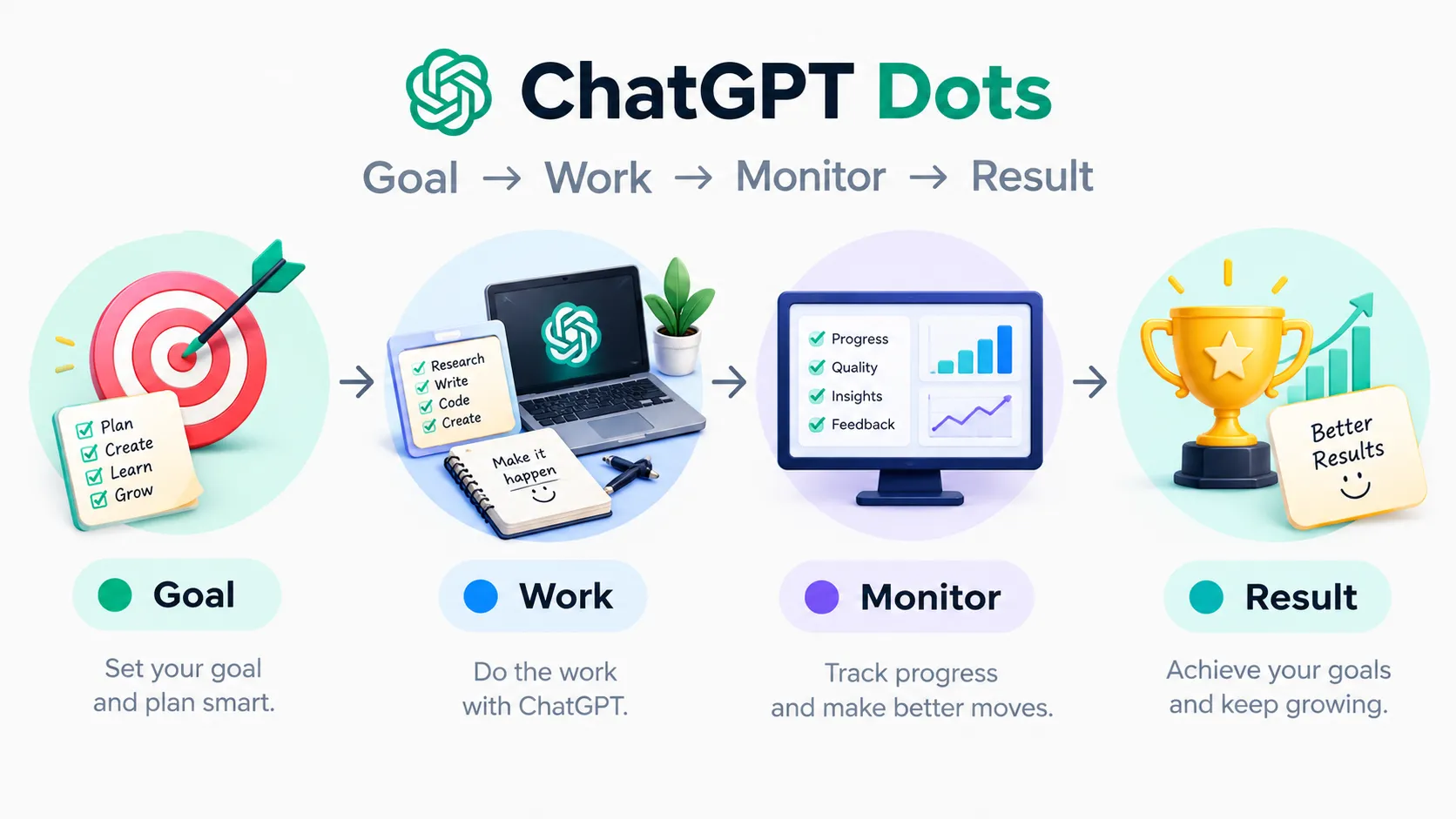
The main difference is persistence and responsibility.
The important point is that Dots are not simply “ChatGPT with a new interface.” They represent a more agentic approach, where the AI can be given responsibility for continuing work.
Who Can Use ChatGPT Dots?
Access is being rolled out gradually. According to OpenAI's current information, Dots are available to eligible Pro and Business Premium users aged 18 or older in supported markets.
Enterprise access is currently described as a beta and is off by default.
OpenAI also says Pro access excludes the European Economic Area, Switzerland and the UK at launch.
Availability can change as OpenAI expands the rollout, so users should check their ChatGPT account and OpenAI's latest documentation before assuming that Dots are available on their plan.
How to Get Started With ChatGPT Dots
If Dots are available on your account, the basic approach is straight forward:
Step 1: Open ChatGPT
Use ChatGPT on the supported desktop experience.
Step 2: Look for the Dot Option
If your account has access, you should be able to create a Dot from the available ChatGPT interface.
Step 3: Give Your Dot a Clear Responsibility
Avoid extremely broad instructions.Instead of:
“Help me with AI.
”Try:“
Research new AI productivity tools, organize the findings by category, include original sources, and highlight information that requires my review.”
Step 4: Connect Only the Apps You Need
If the task requires connected applications, authorize only the services necessary for that particular workflow.
Step 5: Define the Expected Result
Tell the Dot what a useful result looks like.
For example:
1. Required format
2. Important sources
3. Information to exclude
4. When you want human approval
5. What actions require confirmation
Step 6: Review Its Work
Even when an AI agent is capable of working independently, important information and actions should be checked before you rely on them.
Are ChatGPT Dots Safe?
Safety becomes more important when AI moves from answering questions to performing actions.
A traditional chatbot generally produces an answer after receiving a prompt.
An autonomous agent may interact with tools, applications and information while working toward a goal.
OpenAI says Dots include safeguards and controls intended to help users manage what agents can do.
Still, users should follow basic precautions:
1. Do not connect unnecessary accounts.
2. Review permissions before authorizing an app.
3. Avoid giving unrestricted access to sensitive information.
4. Review important outputs before using them.
5. Keep financial, legal or other high-impact decisions under appropriate human control.
The goal should be useful automation with meaningful human oversight, rather than blindly delegating everything to an AI agent
ChatGPT Dots: What Makes Them Different?
The biggest change is the shift from prompt-based AI to responsibility-based AI.
Traditional AI tools are usually used like this:
Ask → Receive → Ask again
Agentic systems are moving toward:
Define → Delegate → Monitor → Review
ChatGPT Dots are part of this broader shift.
Instead of thinking only about what question AI can answer, users can start thinking about what ongoing responsibility they want AI to handle.
That could eventually change how people use AI for work, research, software development and everyday digital tasks
Frequently Asked Questions About ChatGPT Dots
What are ChatGPT Dots?
ChatGPT Dots are OpenAI’s always-on AI agents designed to work on ongoing tasks and goals between conversations, rather than only responding to individual prompts.
How are ChatGPT Dots different from normal ChatGPT?
Normal ChatGPT primarily responds when you send a prompt. Dots are designed to take responsibility for an ongoing task and continue working toward a defined goal.
What model powers ChatGPT Dots?
According to OpenAI, ChatGPT Dots are powered by GPT-6 Astra.
Can ChatGPT Dots work without me being online?
Dots are designed for ongoing work between conversations, so they can continue making progress after you leave ChatGPT. The exact behavior depends on the task, connected tools and permissions.
Can ChatGPT Dots use other apps?
Yes. Dots are designed to work with connected applications and tools that you authorize. You should review permissions carefully before connecting an account.
Who can access ChatGPT Dots?
Access is being rolled out to eligible users and can vary by plan, location and account. Check the latest OpenAI information for current availability.
Are ChatGPT Dots free?
Availability and access depend on the ChatGPT plan and rollout status. OpenAI’s current documentation should be checked for the latest eligibility and pricing information.
What can I use ChatGPT Dots for?
Potential use cases include research, project work, software development, content workflows, business tasks and other activities that require multiple steps or ongoing attention.
Can I control what a ChatGPT Dot does?
Yes. Users can define the Dot’s responsibility and control which applications or resources it can access. For important tasks, human review is still recommended.
Are ChatGPT Dots available in India?
Availability depends on OpenAI’s current rollout and account eligibility. If Dots are enabled for your account, the feature should appear in your supported ChatGPT experience.
Are ChatGPT Dots the same as AI agents?
Dots are an example of an agentic AI workflow. Their purpose is to take a broader responsibility, use available tools and continue working toward a goal rather than simply answering one prompt at a time.
Is ChatGPT Dots available for businesses?
OpenAI has described Dots for organizational and business workflows, with availability depending on the relevant ChatGPT plan and rollout.
Enterprise access may have separate conditions.
ChatGPT Dots are OpenAI's new always-on AI agents designed to work toward ongoing goals rather than simply responding to individual prompts.Powered by GPT-6 Astra and supported by a dedicated cloud computer, Dots are designed to handle longer-running workflows, use connected resources and return results to users for review.
The technology is still new, and availability is being rolled out gradually.
That means the exact experience, supported features and access conditions can change over time.For now, the most important thing to understand is simple:
ChatGPT Dots are designed to make AI more proactive, persistent and task-oriented.As AI agents become more capable, the quality of the instructions, permissions and human oversight will become just as important as the AI model itself.