
Introduction
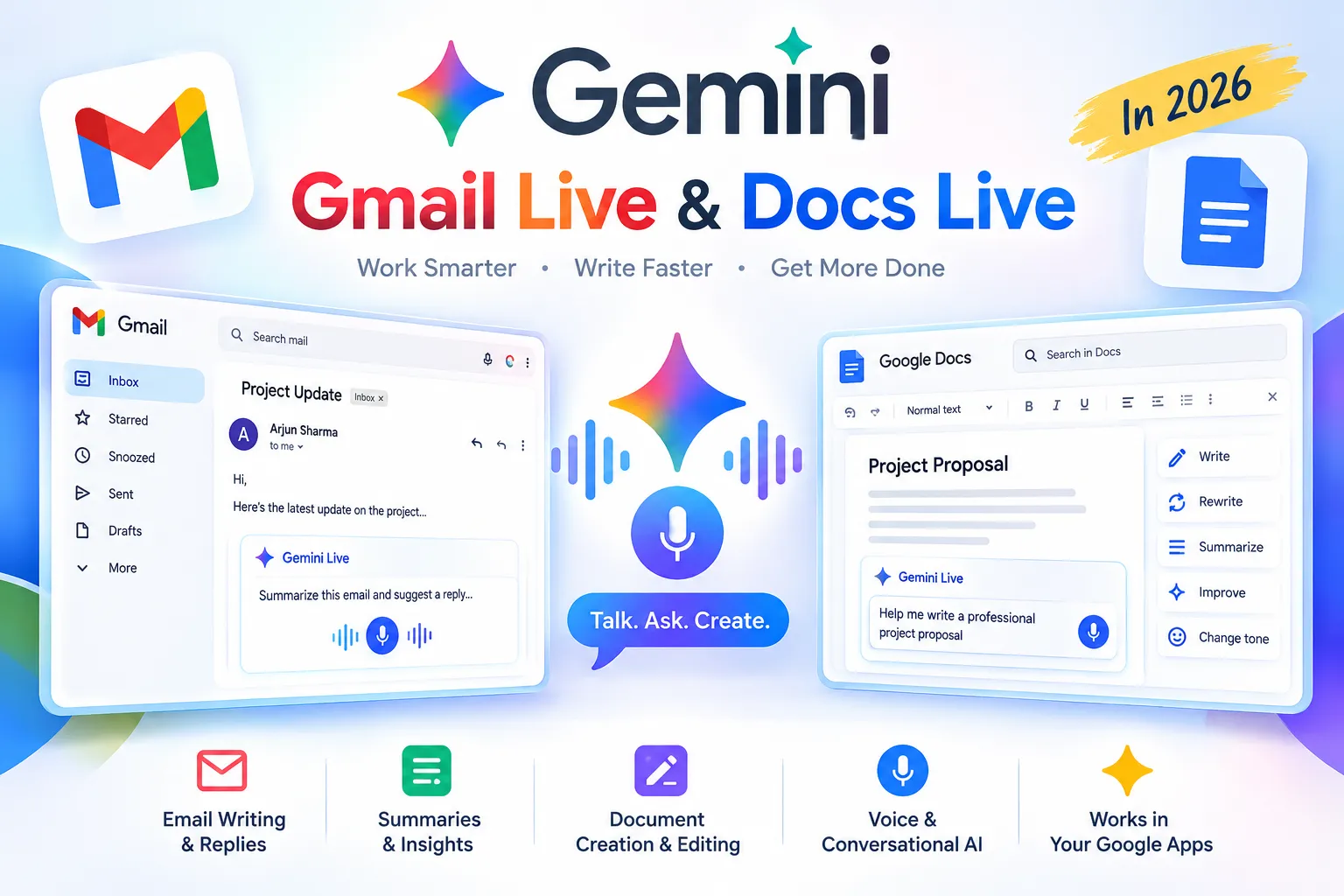
Gemini Gmail Live is a new way to interact with Gmail using Gemini’s AI capabilities. In this guide, we’ll explain how to use Gemini Gmail Live and Docs Live, their features, plans, and availability in 2026. These new tools let users interact with their emails and documents using natural voice conversations instead of typing.
Gemini Live vs Gmail Live — both use Gemini AI, but they are designed for different tasks.
Google's official announcement about Gmail Live and Docs Live
With Gmail Live, you can ask questions about your inbox, find information from emails, and ask follow-up questions using your voice. Docs Live works as a voice-powered writing assistant that can help turn your ideas and spoken thoughts into structured documents.
In this guide, we explain what Gmail Live and Docs Live are, how Gmail Live voice search works, how to use Docs Live, which Google AI plans include these features, their availability, and the difference between Gmail Live, Docs Live, and Gemini Live.
Whether you want to search Gmail with your voice or create a Google Doc without typing, these new Gemini-powered features could make everyday work much easier.
What Are Gmail Live and Docs Live?
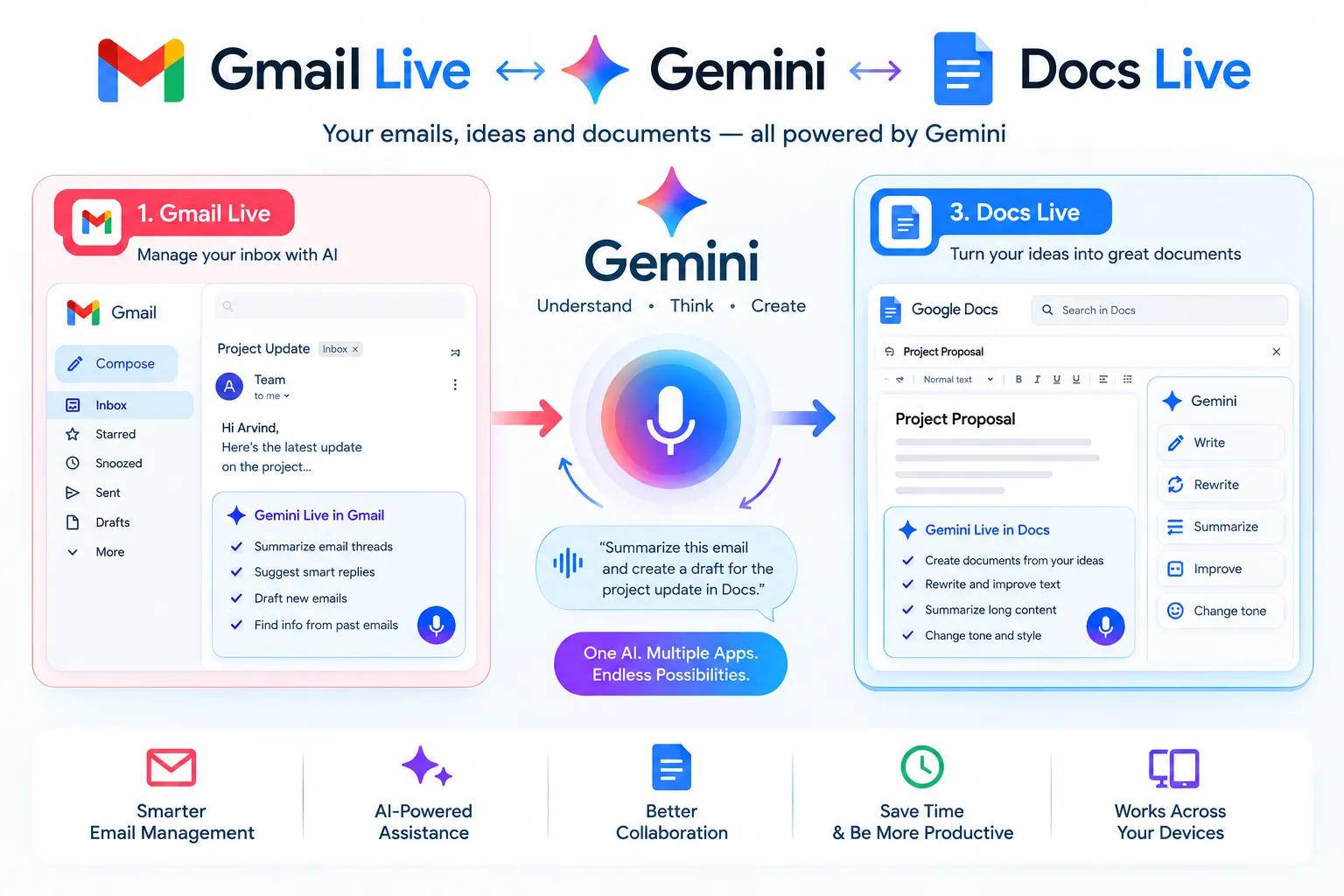
Gmail Live and Docs Live are new Gemini-powered voice features from Google that let users work with Gmail and Google Docs through natural voice conversations.
Gmail Live is designed to help users find and understand information in Gmail using voice. Instead of manually searching through emails, you can have a conversational interaction with Gmail and ask questions about information in your inbox.
Docs Live works as a voice-powered writing assistant for Google Docs. It can act as a hands-free thought partner and help you develop ideas, organize your thoughts, and work on documents using natural voice commands.
In simple terms, "Gmail Live helps you work with your emails by voice, while Docs Live helps you think and write in Google Docs without relying completely on typing."
What Is Gmail Live?
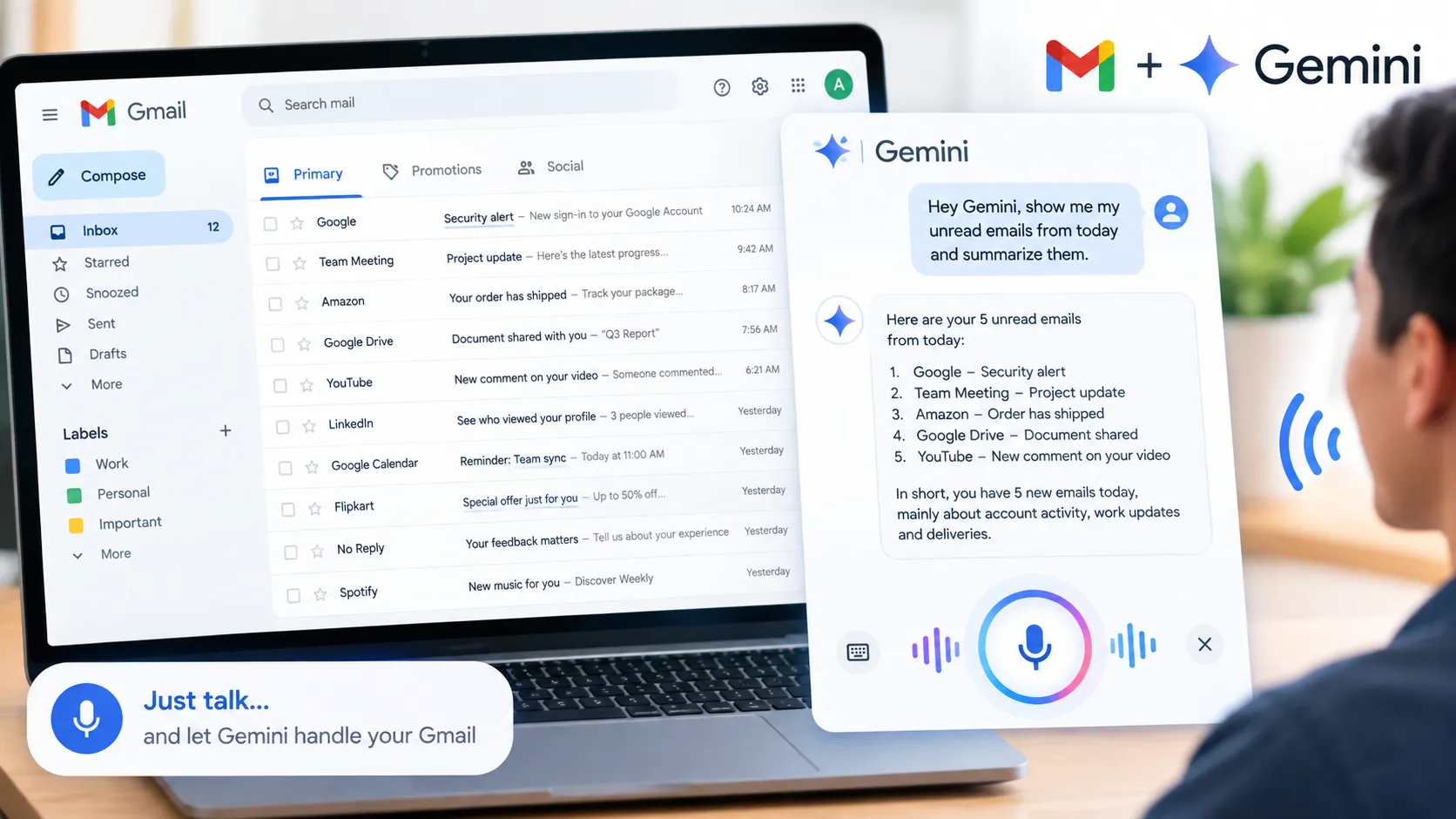
Gmail Live is a new Gemini-powered voice feature that lets you talk naturally with Gemini about information in your Gmail account.
Instead of manually searching through multiple emails, you can ask questions about your inbox and use a conversational voice interaction to find and understand relevant information.
With Gmail Live voice search, you can ask Gemini to help locate emails, summarize conversations, and understand information from recent messages. This can be especially useful when you have a large inbox and want to find specific information without typing complicated search queries.
Examples of Useful Gmail Live Requests:
You can use Gmail Live to ask questions such as:
* Find recent emails about a particular project.
* Help me locate an email containing a specific detail.
* Summarize important emails related to a particular topic.
* Help me understand what changed across recent email conversations.
* Find the latest updates from a specific email conversation.
* Give me a quick summary of recent messages about a project.
If you are also exploring AI assistants for everyday tasks, check out our guide to AI Chatbot Tools.
In simple terms, Gmail Live makes searching and understanding your Gmail inbox more conversational, allowing you to use your voice instead of manually going through multiple emails.
What Is Docs Live?
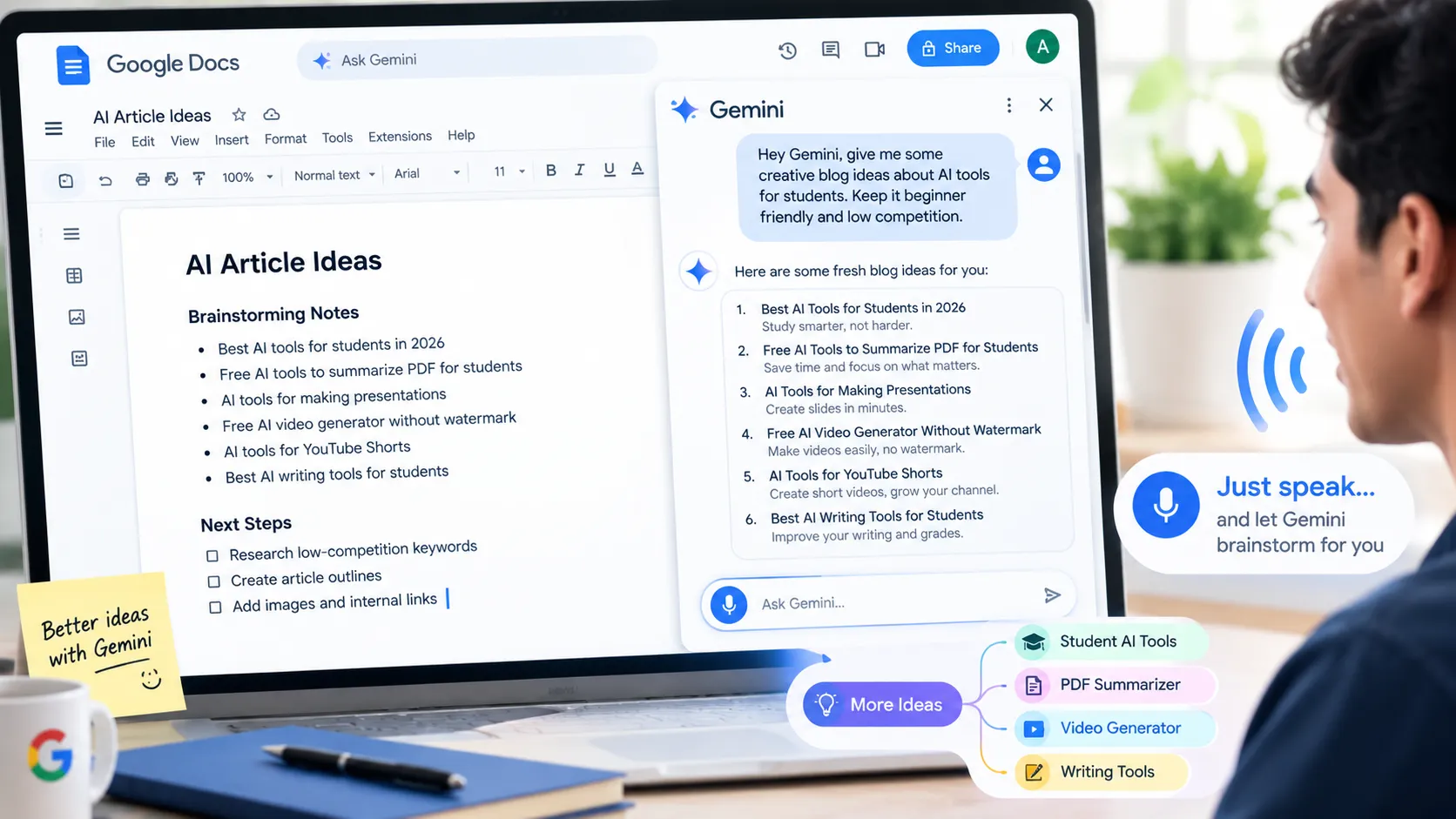
Docs Live is a new Gemini-powered voice feature for Google Docs that brings a voice-first experience to document creation and editing. Instead of typing every idea manually, you can speak naturally while Gemini helps you develop ideas, organize your thoughts, and work toward creating a document.
The Google Docs voice AI feature is designed to work like a hands-free thought partner. You can talk through your ideas and use the conversation to shape them into more organized and useful content.
For more AI-powered writing and content creation options, explore our AI Writing Tools collection.
With the appropriate permissions and connected information, Docs Live can use relevant context from Google services such as Gmail, Google Drive and Google Chat, along with information available on the web.
This can make voice-based document writing with Gemini useful for tasks such as brainstorming, planning, organizing information, and turning spoken ideas into structured documents.
In simple terms, Docs Live lets you think, discuss, and work on documents with Gemini using your voice, making document creation more conversational and hands-free.
Gmail Live vs Docs Live
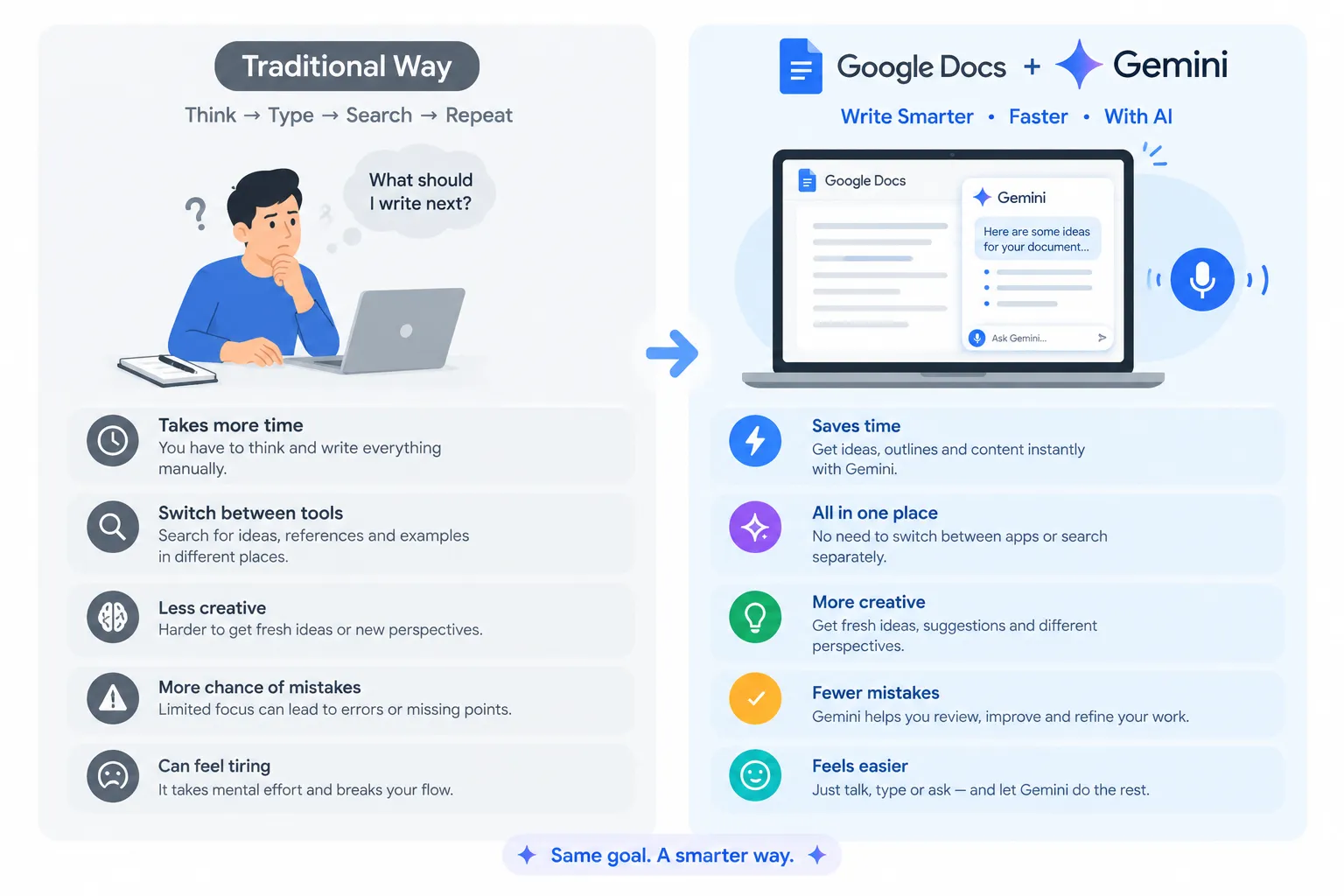
Gmail Live and Docs Live are both Gemini-powered voice experiences, but they are designed for different types of work. Gmail Live focuses mainly on finding and understanding information in Gmail, while Docs Live is focused on voice-based document creation, brainstorming, and co-writing.
Feature
Gmail Live
Docs Live
Main purpose
Conversational Gmail search and email assistance
Voice-based document ideation and co-writing
Voice interaction
Yes
Yes
Gmail information
Can use relevant Gmail information with appropriate permission and connected access
Can use relevant Gmail information as context with permission
Core use case
Finding, understanding, and summarizing information from emails
Developing ideas, organizing thoughts, and working on documents
Document creation
Not the main purpose
Core use case
Best for
Searching and understanding your Gmail inbox using voice
Creating and developing documents with Gemini using voice
Google AI plan
Google AI Plus, Pro, or Ultra
Google AI Pro or Ultra
How to Use Gmail Live
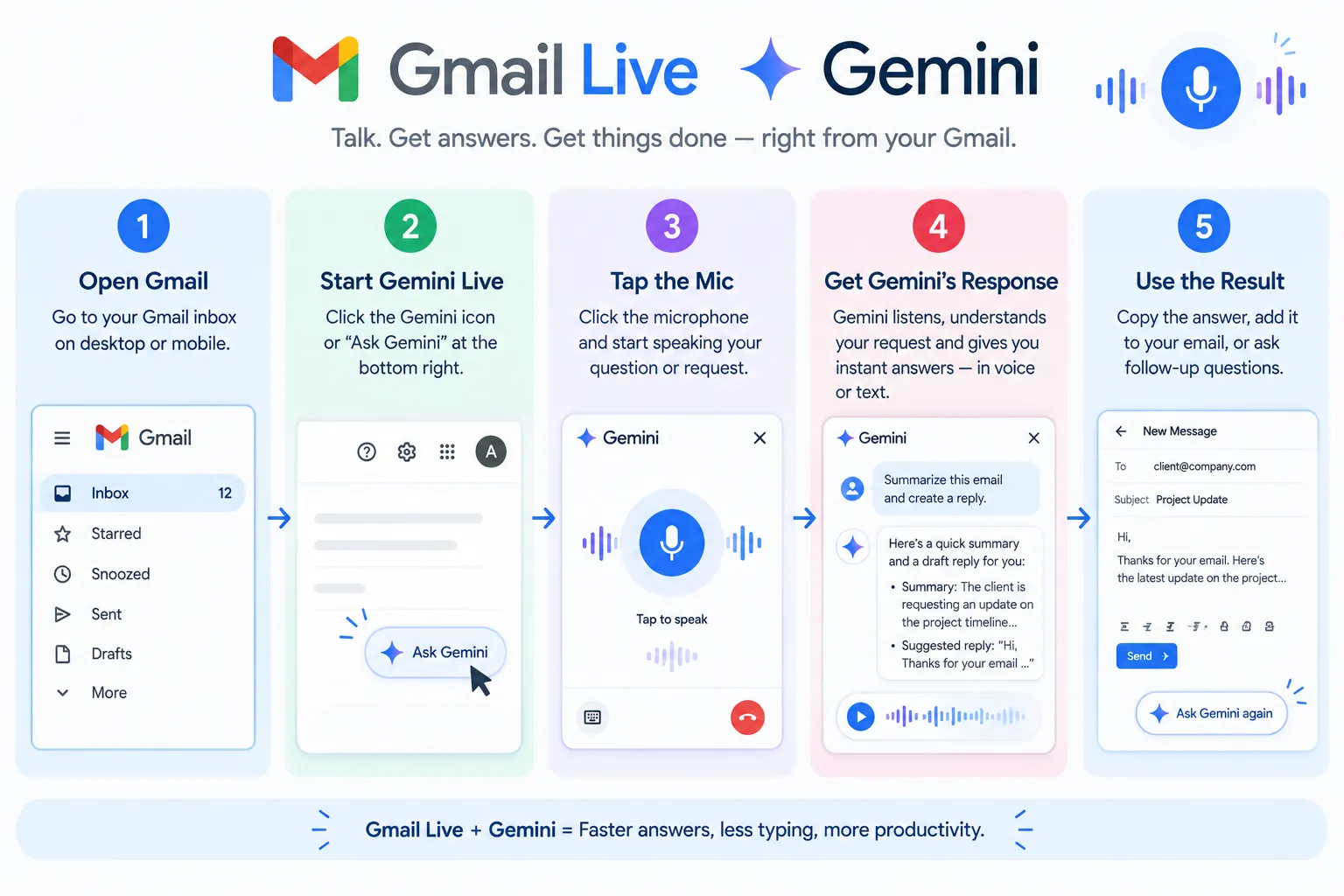
How to Use Gmail Live: Step-by-Step Guide
Want to know how to use Gmail Live to find and understand emails using your voice? Gmail Live is designed to help users interact with Gemini through natural voice conversations and get assistance with information in their Gmail inbox.If the feature is available on your supported device and Google AI plan, you can follow these general steps to get started.
Steps to Use Gmail Live
1. Open Gmail on a Supported Device
Open the Gmail app or supported Gmail interface on your device. Make sure you are signed in to the Google account that you want to use with Gmail Live.
2. Look for the Gmail Live Voice Option
Check the Gmail interface for the Gemini Live or Live voice option. The exact location and availability may depend on your device, account, and supported Google AI plan.
3. Start a Natural Voice Conversation
Once Gmail Live is available, start speaking naturally about what you want to find or understand in your inbox.
For example, you can ask:
* Find recent emails about my project.”
* Help me locate the email containing the meeting details.
* Summarize the important messages from this week.”
4. Ask Follow-Up Questions
One of the useful aspects of conversational AI is that you can ask follow-up questions instead of repeating your entire request.
For example:
You: “Find the latest emails about the project.
”You: “What was the last update?
”You: “Who sent that email?
”This makes searching Gmail with voice more natural and easier to follow.
5. Review and Verify the Information
After Gemini provides an answer, review the information carefully. For important details such as dates, deadlines, names, and project updates, open and verify the original emails.
AI-generated responses may not always be perfect, so checking the source emails is a good practice.
Tips for Better Gmail Live Voice Search
* Ask clear and specific questions.
* Mention the project name, sender, or topic when possible.
* Use follow-up questions to narrow down the information.
* Verify important information in the original Gmail messages.
In simple terms, Gmail Live is designed to make email search and assistance more conversational, helping you find relevant information through voice instead of manually searching through your inbox.
How to Use Docs Live
If Docs Live is available on your Google account, you can use its voice-powered Gemini experience to brainstorm ideas, organize your thoughts, and work on documents through natural voice conversations.
Follow these steps to learn how to use Docs Live for voice-based document creation:
Step 1: Open Google Docs
Open Google Docs on a supported device and sign in with the Google account that has access to the Docs Live feature.
Step 2: Start Docs Live
Start the Docs Live voice experience when the feature is available on your account. Availability may depend on your Google AI plan, account type, and rollout status.
Step 3: Explain Your Idea by Voice
Speak naturally and explain what you want to create, write, or organize. You can describe your document goal, topic, writing requirements, or ideas without typing everything manually.
For example:
“Help me create an outline for an article about AI tools for students."
Step 4: Refine Your Document With Follow-Up Prompts
Continue the voice conversation to improve your document. Ask Gemini to change the structure, expand an idea, simplify the wording, or take the content in a different direction.
You can give follow-up instructions such as:“
Make the introduction shorter and add three main sections.”
Step 5: Review Before Sharing
Carefully review the resulting document before publishing, submitting, or sharing it. Check important facts, wording, formatting, and any information generated by Gemini.
Tip: Give clear details about your goal and intended audience. More specific voice instructions can help you get a more useful starting point for your document.
Which Google AI Plan Includes Gmail Live and Docs Live?
If you are wondering whichGoogle AI planincludes Gmail Live and Docs Live, the availability depends on the Google AI subscription associated with your account.
According to Google's September 2026 announcements, Gmail Live is included with Google AI Plus, Google AI Pro, and Google AI Ultra plans. Docs Live is available with Google AI Pro and Google AI Ultra.
Google AI Plan
Gmail Live
Docs Live
Google AI Plus
Yes
No
Google AI Pro
Yes
Yes
Google AI Ultra
Yes
Yes
Gmail Live and Docs Live Plan Availability
The main difference is that Gmail Live is available on Google AI Plus, Pro, and Ultra, while Docs Live requires Google AI Pro or Ultra.
However, having an eligible Google AI plan does not always guarantee immediate access. Gmail Live and Docs Live availability can vary based on your Google account, region, supported product version, and Google's feature rollout.
If you do not see the Live option in Gmail or Google Docs, the feature may not have reached your account yet or may have additional eligibility requirements.
Quick takeaway:
Gmail Live → Google AI Plus, Pro & Ultra
Docs Live → Google AI Pro & Ultra
Is Gmail Live and Docs Live Available in India?
If you are searching for Gmail Live availability in India or wondering whether Docs Live is available in India, Google has started rolling out these new voice-powered AI features. However, access may not be available to every user at the same time.
The availability of Gmail Live and Docs Live in India can depend on your Google account, eligible Google AI plan, region, supported product version, and Google's ongoing feature rollout.
What If Gmail Live or Docs Live Is Not Showing in India?
If you are in India and cannot find the Gmail Live or Docs Live option, there are a few things you can check:
Check your Google AI plan
Make sure your subscription is eligible for the feature.
Update Gmail or Google Docs
Use the latest supported version of the relevant Google app or service.
Check your Google account
Feature access can vary between accounts, even when users have similar subscriptions.
Wait for the rollout
Google may enable new AI features gradually, so the feature may appear on your account later.
Gmail Live and Docs Live India Availability: Quick Answer
Yes, Google has started rolling out Gmail Live and Docs Live, but availability in India can vary by account and rollout status. If you have an eligible Google AI plan but cannot see the feature yet, it does not necessarily mean that your account is unsupported.
Gmail Live on Android and iPhone
Gmail Live is being rolled out for Android and iPhone users, giving eligible users a new way to interact with Gmail using natural voice conversations. The feature has been reported with English-language support, while the exact interface and available options may change as Google expands the rollout.
If you are wondering how to use Gmail Live on Android or iPhone, first make sure you are using a supported version of Gmail and have an eligible Google AI plan.
Gmail Live Not Showing on Android or iPhone?
If the Gmail Live option is missing from your Gmail app, there are several possible reasons:
The feature may not have reached your Google account yet.
Your current Google AI plan may not be eligible.
Your Gmail app or supported product version may need an update.
Google may still be gradually rolling out Gmail Live in your region.
Because new AI features can be enabled progressively, two users with similar devices may not see the Gmail Live option at the same time.
Quick Check
Before assuming there is a problem, check your Google AI plan, Gmail app version, account eligibility, and feature availability. If everything appears correct and Gmail Live is still missing, the feature may simply not have been enabled for your account yet.
Gmail Live vs Gemini Live
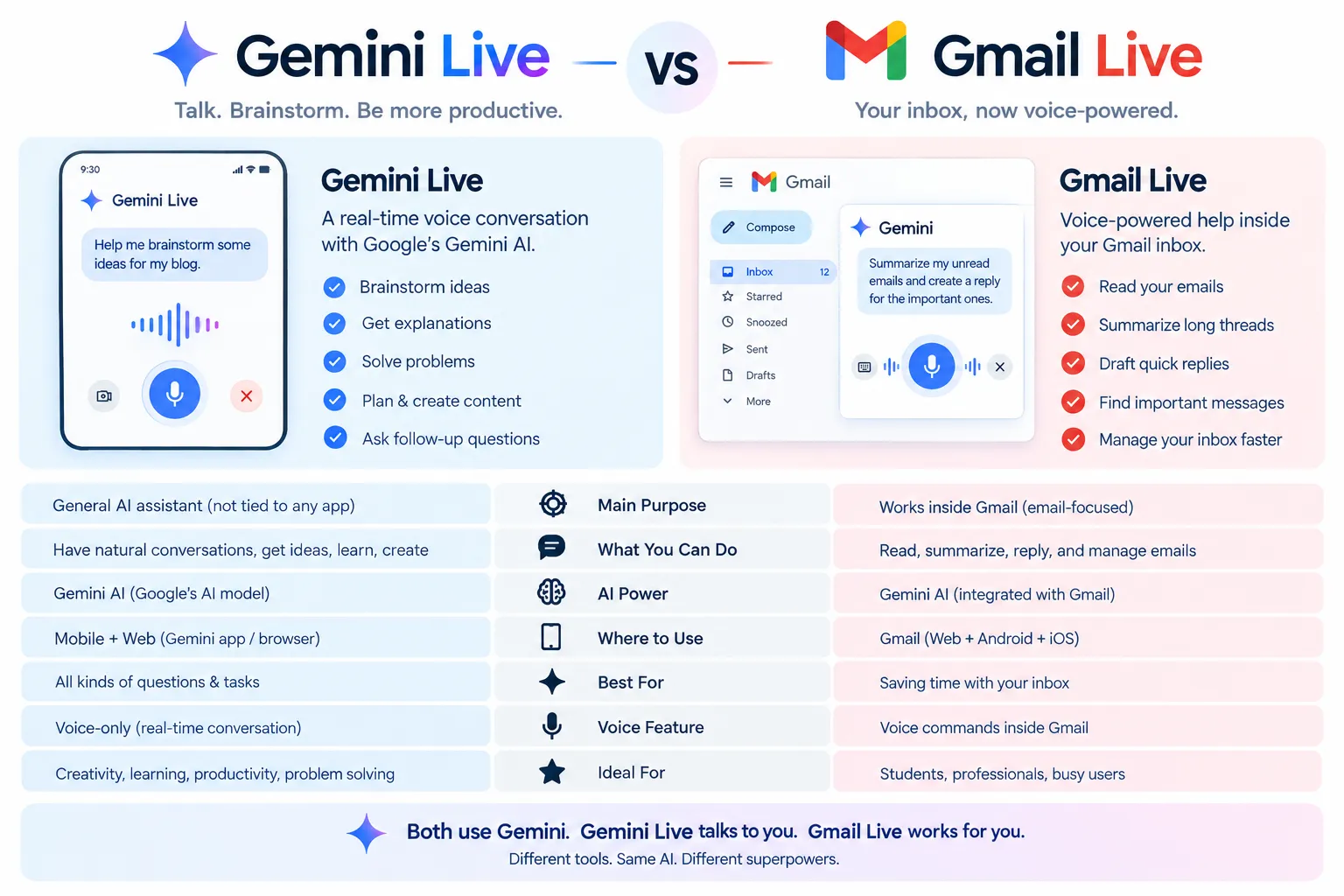
Gmail Live and Gemini Live both offer conversational voice interactions, but they are designed for different purposes.
Gemini Live is Google's broader AI voice conversation feature. It allows you to have natural, back-and-forth conversations with Gemini on a wide range of topics, ask questions, explore ideas, and get help with different tasks.
Gmail Live, on the other hand, is more specifically designed for working with information in your Gmail inbox. Instead of using voice conversation for general questions, you can use Gmail Live to find, understand, and discuss relevant information from your emails.
Gmail Live vs Gemini Live: Key Difference
Feature
Gmail Live
Gemini Live
Main purpose
Voice-based Gmail search and email assistance
General AI voice conversations
Primary focus
Information from your Gmail inbox
Questions, ideas, tasks, and general conversations
Email assistance
Core use case
Not its primary focus
Voice conversation
Yes
Yes
Best for
Finding and understanding emails using voice
Having a broader conversation with Gemini
In Simple Terms
Think of Gemini Live as a general-purpose AI voice assistant, while Gmail Live is a Gmail-focused voice experience.
Gemini Live → General AI conversations
Gmail Live → Voice-based Gmail assistance
So, if you want to talk to Gemini about almost any topic, Gemini Live is the broader option. If you want to find or understand information from your Gmail inbox using your voice, Gmail Live is designed specifically for that workflow.
Benefits of Gmail Live and Docs Live
The biggest advantage of Gmail Live and Docs Live is that they make everyday work more conversational and reduce the need for constant typing, manual searching, and switching between different apps.
You can also explore more AI Productivity Toolsdesigned to simplify everyday work and workflows.
Here are some of the key benefits of these Gemini-powered voice AI features:
1. Hands-Free AI Interaction
You can interact with Gemini using your voice instead of typing every question or instruction. This makes voice-based AI assistance useful when you are working on other tasks or want to explain an idea naturally.
2. Faster Access to Gmail Information
Gmail Live can help you find and understand information from long email conversations more quickly. Instead of manually opening multiple messages, you can ask conversational questions to locate relevant information.
3. Natural Follow-Up Questions
You can continue the conversation with follow-up questions without repeating the complete request. This makes searching for information feel more like a natural conversation rather than a traditional search process.
4. Easier Brainstorming and Document Writing
Docs Live can work as a voice-powered thought partner while you develop ideas. You can discuss a topic, organize your thoughts, and work toward creating or improving a document through natural voice interaction.
5. Less App Switching and Manual Searching
Gmail Live and Docs Live can reduce the time spent switching between applications to find context. With the appropriate permissions and connected information, Gemini can use relevant information from supported Google services while you work.
6. More Convenient Everyday Workflows
For users who regularly handle emails, research, planning, or documents, these voice AI features can make common tasks more convenient by allowing you to speak, ask questions, refine ideas, and continue working without relying completely on typing.
Quick Summary
Gmail Live → Faster voice-based email search and assistance
Docs Live → Voice-based brainstorming and document supportTogether, these features aim to make Gmail and Google Docs more conversational, hands-free, and easier to use with Gemini.
Things to Check Before Using These Features
Before using Gmail Live and Docs Live, it is important to check your account eligibility, app version, permissions, and the availability of the feature. These simple checks can help you avoid access issues and use Gemini voice features more safely.
1. Check Your Google AI Plan
First, confirm that your Google AI plan supports Gmail Live or Docs Live. Different features may be available on different Google AI subscription plans.
2. Update Gmail and Google Docs
Make sure you are using the latest supported version of Gmail or Google Docs. New AI features may require an updated app or supported product version.
3. Check Account and Regional Availability
Even if you have an eligible Google AI plan, the feature may not appear immediately. Google can roll out new AI features gradually, so check whether Gmail Live or Docs Live has been enabled for your account and region.
4. Review Gemini Permissions
Before allowing Gemini to work with connected information, carefully review the permissions and connected services. Depending on the feature and your settings, relevant information from services such as Gmail, Drive, Chat, or the web may be used as context.
5. Verify Important Information
Do not rely on AI-generated information without checking the original source. Always verify important business, financial, work-related, or personal information in the original email, document, or other trusted source before making decisions or sharing it.
6. Protect Sensitive Information
Be mindful when discussing confidential or sensitive information with AI tools. Check your account and privacy settings and only enable access to information that is necessary for the task.
Quick Checklist
Before using these Gemini voice features, check:
Eligible plan → Updated app → Account availability → Permissions → Original-source verification
Following these checks can help you use Gmail Live and Docs Live more effectively while maintaining control over your information.
Frequently Asked Questions
Is Gmail Live free?
Gmail Live is not currently available as a general free Gmail feature. It is tied to eligible Google AI subscription plans rather than being included with standard free Gmail accounts.
According to Google's current plan information, Gmail Live is available with Google AI Plus, Google AI Pro, and Google AI Ultra, subject to account, region, and feature rollout availability.
So, if you are asking “Is Gmail Live free?”, the short answer is
:No. Gmail Live requires an eligible Google AI plan, rather than a standard free Gmail account.
If you have an eligible plan but cannot see Gmail Live, the feature may not have been enabled for your account yet.
What is Gmail Live in Gemini?
Gmail Live in Gemini is a voice-powered Gmail AI feature that lets you search, find, and understand email information through natural voice conversations.
How do I use Gmail Live?
To use Gmail Live, open Gmail with an eligible account, start the Gmail Live voice featurewhen available, and ask Gemini naturally about your emails, inbox, or specific conversations.
What is Docs Live?
Docs Live is a voice-first Gemini experience for Google Docs that helps you brainstorm ideas, develop concepts, organize your thoughts, and work on documents through natural voice conversations.
Instead of typing every idea manually, you can talk with Gemini and use your voice to shape ideas into more structured and useful content.
Docs Live is designed to make AI-powered document creation more conversational, hands-free, and interactive.
How do I use Docs Live?
To use Docs Live, open Google Docs with an eligible Google account and start the Docs Live voice feature when it is available to you.
Once started, you can talk naturally with Gemini to brainstorm ideas, organize your thoughts, and work on your document using voice.
Quick steps:
1- Open Google Docs.
2- Sign in with an eligible Google account.
3- Start Docs Live when the feature is available.
4- Speak naturally and explain what you want to create or improve.
5- Use follow-up voice prompts to refine your ideas and document.
Does Gmail Live work on Android?
Yes, Gmail Live works on Android and iPhone for eligible users as Google rolls out the feature. With Gmail Live, you can use voice conversations with Gemini to find, understand, and discuss information from your Gmail inbox.
However, availability may vary depending on your Google account, AI plan, region, device, and feature rollout status. If Gmail Live is not showing on your Android device, check that your Gmail app is updated and that your account is eligible.
Is Docs Live available in India?
Docs Live availability in India may vary depending on your Google account, eligible Google AI plan, supported device, and Google's ongoing feature rollout.
If you are in India and cannot see the Docs Live voice feature, check whether your Google AI plan is eligible and make sure you are using the latest supported version of Google Docs. Google may also enable the feature gradually, so access can differ between accounts.
Which Google AI plan includes Gmail Live?
Gmail Live is available with Google AI Plus, Google AI Pro, and Google AI Ultra plans, subject to account eligibility and Google's feature rollout.
If you have an eligible Google AI plan but cannot see the Gmail Live voice feature, access may still depend on your account, region, supported product version, and rollout status.
Quick answer:
Gmail Live → Google AI Plus, Pro & Ultra
Which Google AI plan includes Docs Live?
Docs Live is available with Google AI Pro and Google AI Ultra plans, subject to account eligibility and Google's feature rollout.
If you have an eligible plan but cannot see the Docs Live voice feature, availability may depend on your Google account, region, supported product version, and rollout status.
Quick answer:
Docs Live → Google AI Pro & Ultra
What is the difference between Gemini Live and Gmail Live?
Gemini Live is Google's broader conversational voice experience that lets you have natural, back-and-forth conversations with Gemini about questions, ideas, and different tasks.
Gmail Live is more focused on your Gmail inbox. It is designed to help you find, understand, and discuss information from your emails using voice.
In simple terms:
Gemini Live → General AI voice conversations
Gmail Live → Voice-based Gmail search and email assistance
So, use Gemini Live for broader conversations with Gemini, while Gmail Live is designed specifically for working with information in Gmail.
Gmail Live and Docs Live represent an important step in Google's Gemini ecosystem, bringing more natural voice-powered AI workflows to everyday tasks.
Gmail Live is particularly useful for finding, understanding, and discussing information from your Gmail inbox, while Docs Live focuses more on brainstorming ideas, organizing thoughts, and developing documents through voice.
Together, these features can make everyday work more conversational and reduce the need for constant typing and manual searching.
However, availability can vary by Google AI plan, account, region, supported device, and rollout status.
Before using these features, check your eligible Google AI plan and the latest Google product information for your account.
In short:
Gmail Live → Find and understand your emails with voice
Docs Live → Brainstorm and work on documents with voice
Pingback: Gemini Notebook 2026: Complete Guide to New Features & Tools